See every site and server, and what it is doing right now.
STATISTICS · MONITORING · DEBUGGINGFusion Radar brings your traffic, uptime, logs and alerts together with every request running now, the slow and failed ones, and the code behind them. It is built into Fusion Internet Services and is also a product of its own.
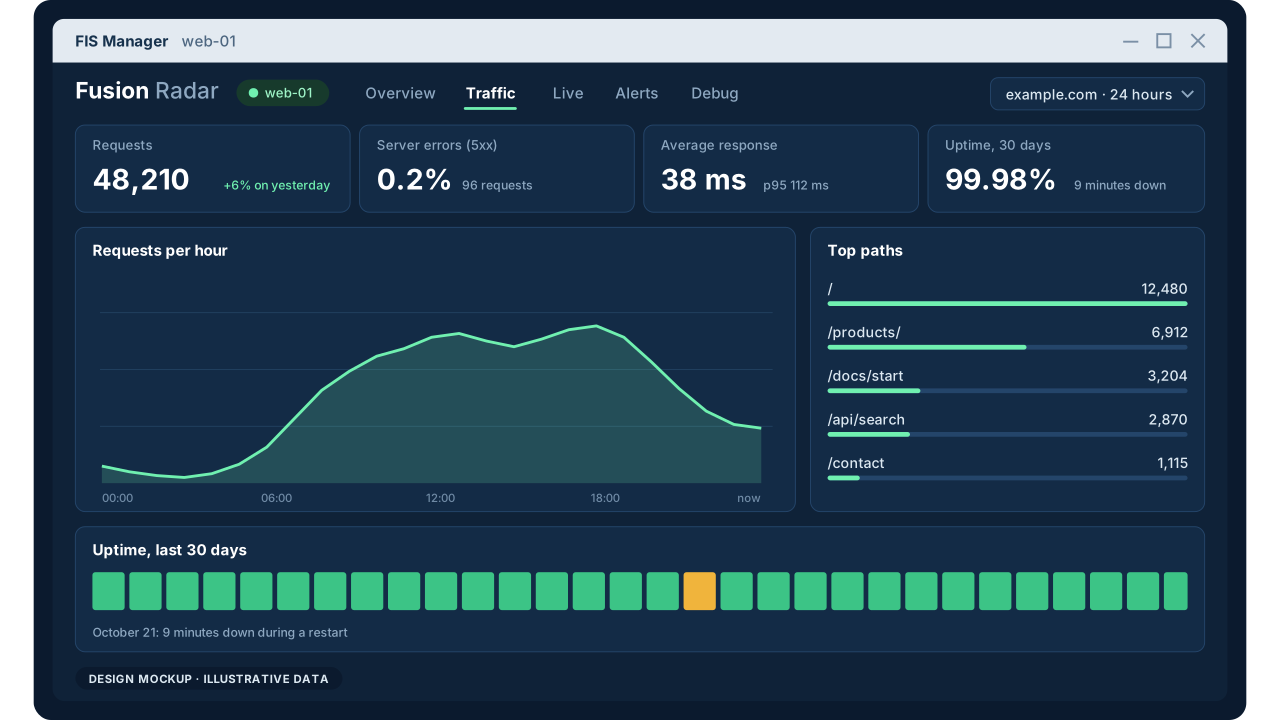
Statistics: how every site is doing.
Traffic, availability and the health signals around a site, kept with the evidence behind them.
Traffic and behaviour
Visits, routes, referrers, bots, bandwidth, status codes, downloads and APIs, by site and over time.
Uptime, DNS and TLS
Reachability, response time and expected content, with DNS resolution and certificate health and renewal.
Logs and search health
Web server and application logs turned into searchable events, and sitemaps, robots rules and metadata checked.
Monitoring: what every site is doing right now.
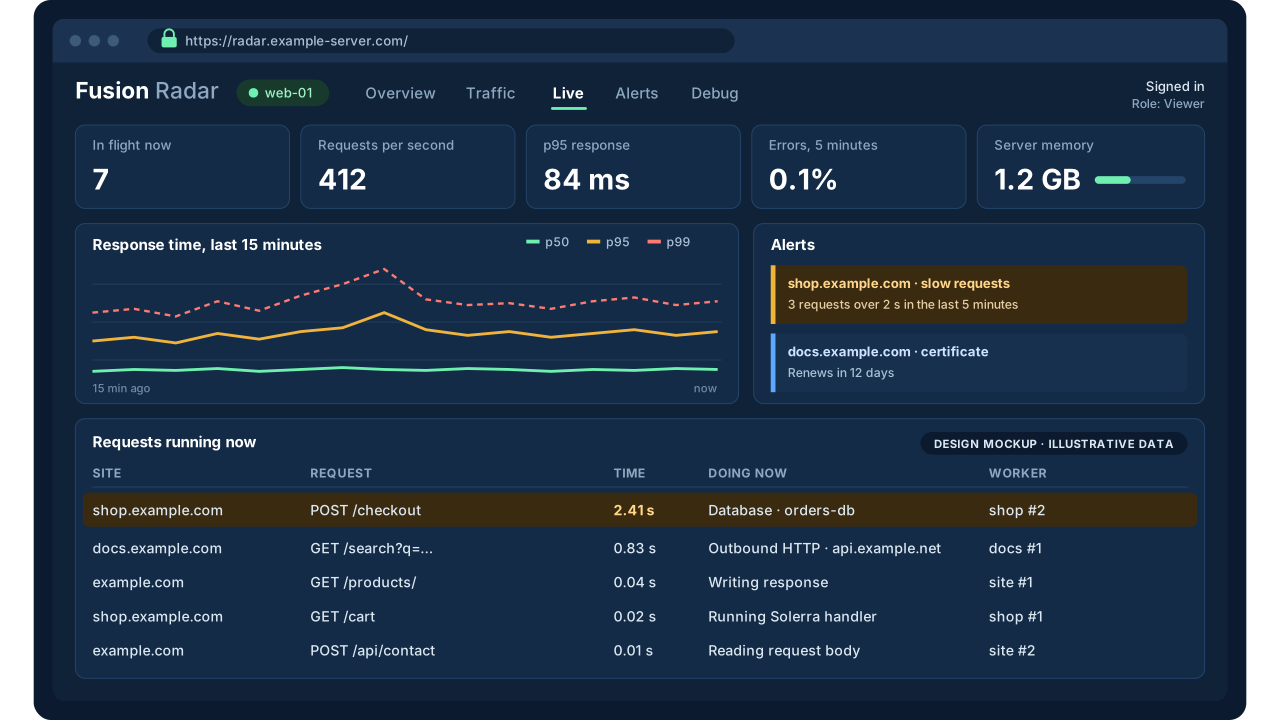
Fusion Radar watches the server at work, from inside it.
Requests running now
PLANNEDEvery request in flight: its site, path, how long it has run, and what it is waiting on, such as a database or an outbound HTTP call.
Slow and failed requests
PLANNEDRequests over a threshold and every error, kept with their database and HTTP timings and the Solerra error behind them.
Sites, workers and the server
PLANNEDMemory and CPU for each site and worker, restarts, requests turned away at a limit, and the server's own health.
Alerts
Error rates, slow requests, response times, memory, a site going down and certificates due for renewal, sent where your people will see them.
Debugging: the code behind the problem.
Fusion Radar runs where Solerra runs, so it can look inside a request without an agent bolted on.
Where the time went
PLANNEDThe Solerra code a slow or failed request was running, with the source position and the calls around it.
Profiler
PLANNEDSample a site to see which functions use the time, without changing its code.
Breakpoints that don't stop the site
PLANNEDCapture values at a line of code as live requests pass it. Off by default, for administrators only, one site at a time.
Built into Fusion Internet Services.
From the first day
Every site on Fusion Internet Services has Fusion Radar from the moment it is added, with nothing extra to install.
On the server and away from it
The same view in FIS Manager on the server and in a web browser anywhere else, for the people you allow.
And as its own product
Fusion Radar is also available on its own, for more than one server and for sites that don't run on FIS.
Answer the questions that come before the incident ticket.
Is it up?
Reachability, response time, expected content, DNS and certificates.
What changed?
Traffic, errors, crawlers, bandwidth and response trends, side by side.
What is it doing?
The requests running now, and where each one is spending its time.
Why?
The code, query or outside call behind a slow or failed request.
Part of the Fusion platform.
Solerra
Fusion's language for applications and servers. Fusion Radar watches and debugs the Solerra code your sites run.solerra.cloud →
Fusion Secure
Security evidence from Fusion Patrol Nodes, alongside the health and activity Fusion Radar sees.Fusion Secure →
Fusion Radar on fusionsoftware.cloud.
Fusion Radar was called Fusion Stats until November 2026. What is marked planned is not finished yet.Product overview